

Article
New in Gluesync 2.3: the Supabase target agent
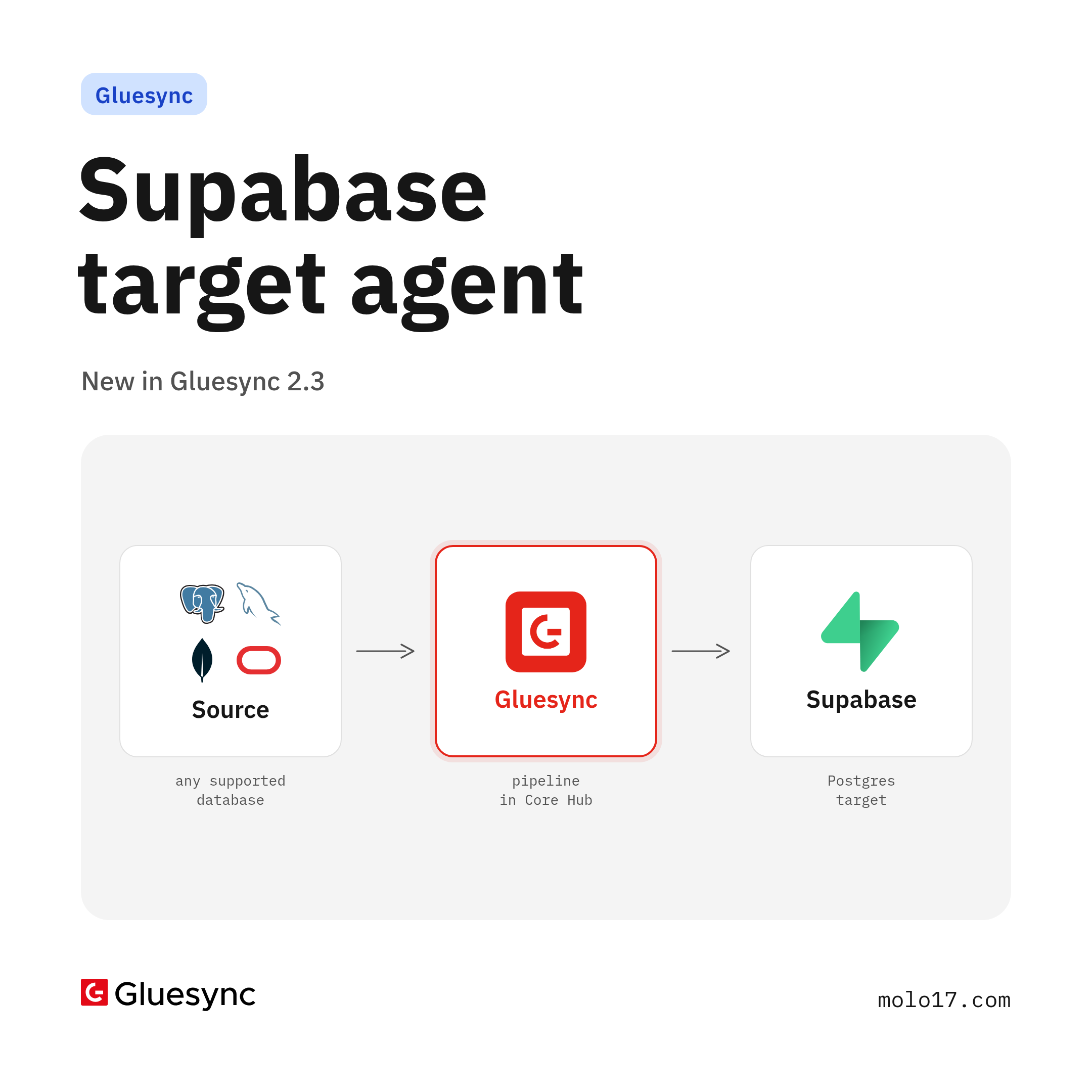
Gluesync 2.3 adds a new Supabase target agent. Snapshots and CDC changes land in Supabase Postgres tables over the PostgreSQL wire protocol, with the PostgreSQL target's type mapping and bulk COPY path and TLS on by default.
Gluesync 2.3 adds a NEW Supabase target agent. It writes snapshots and CDC changes into Supabase Postgres tables over the PostgreSQL wire protocol, with TLS on by default. Supabase is PostgreSQL, so the agent is the Gluesync PostgreSQL target with Supabase's connection defaults: the same type mapping, the same snapshot and CDC write paths, the same bulk COPY path.
Supabase is a target in Gluesync. Any supported source feeds it through a pipeline in Core Hub: the snapshot first, then the source agent's CDC stream. Gluesync needs only a database connection and does not call the Supabase REST API or management API, so it works with projects hosted on supabase.com and with self-hosted Supabase.
Docs: Supabase agent · Target setup · Changelog.
Why a dedicated Supabase agent
Supabase speaks plain PostgreSQL, yet a project has its own shape: database postgres, a postgres role that is not a superuser, encrypted connections, a pooler with a session mode and a transaction mode, and a set of schemas Supabase manages for itself. The agent starts from those defaults (database postgres, user postgres, TLS on) and knows what to leave alone:
- The schemas Supabase manages (
auth,storage,realtime,vault,extensions,graphqland the like) are treated as system schemas by the full-catalog walk of Core Hub: they are not walked or sampled, soauth.usersand its password hashes are never read - Your own tables, in
publicor in schemas you created, are walked as usual - The
postgresrole is enough: the agent creates itsGLUESYNChelper schema and its staging tables as that role
When to use it
When an application built on Supabase needs data that lives in other databases, and you want it in Supabase Postgres tables with the changes following continuously. Tables you create yourself, for example in a Supabase migration, are written as they are, and Gluesync can also create the target tables as it does for any SQL target.
What the agent does
- Writes snapshots and CDC changes into Supabase Postgres tables through the bundled PostgreSQL JDBC driver
- Uses the PostgreSQL target's bulk path: rows are staged in a table of the
GLUESYNCschema withCOPY, then merged into the target table, for snapshots and for CDC - Supports connection pooling and Core Hub's TRUNCATE before snapshot option
- Writes tables with row level security enabled, also forced
- Writes extension types such as
vector(pgvector), PostGISgeometry,geographyandraster, andhstore
How it connects
| Connection | Supported | Notes |
|---|---|---|
Direct connection, db.<project-ref>.supabase.co:5432 |
Yes | Recommended. IPv6 only unless the project has the IPv4 add-on. User postgres |
Session pooler, aws-0-<region>.pooler.supabase.com:5432 |
Yes | IPv4 and IPv6. User postgres.<project-ref> |
Transaction pooler, port 6543 |
No | The write path uses prepared statements, which the transaction pooler does not support |
A Core Hub without IPv6 connectivity can use the session pooler, which has IPv4 addresses.
TLS
TLS is on by default. With Trust server certificate on (the default) the JDBC sslmode is require: the connection is encrypted and the certificate is not checked against a CA. With it off, sslmode is verify-ca: import the project's CA certificate, downloadable from the Supabase dashboard, into the trust store you give the agent.
Row level security
The postgres role bypasses row level security on Supabase, so a table needs no policy for Gluesync, also with FORCE ROW LEVEL SECURITY. A connection user without BYPASSRLS follows the table's policies and needs policies that let it insert, update, delete and select the rows.
Data types
The mapping is the PostgreSQL target's. The integration test suite writes these types as values and as primary keys, through the snapshot and CDC paths, and compares them with the source:
| Group | Types |
|---|---|
| Integers and booleans | smallint, integer, bigint, oid, boolean, serial types |
| Numbers | numeric, decimal, money, real, double precision (NaN and infinities included) |
| Dates and times | date, time, timetz, timestamp, timestamptz, interval, dates before 1582 included |
| Text | varchar, char, text, json, jsonb, xml, uuid, enums, tsvector, tsquery |
| Binary and bits | bytea, bit(n), bit varying |
| Network | inet, cidr, macaddr, macaddr8 |
| Geometric and ranges | point to polygon, all range and multirange types |
| Arrays | Arrays of the types above |
| Extension types | vector, geometry, geography, raster, hstore |
A numeric value of NaN cannot be read or written: the Gluesync decimal type has no such value.
Updates with bulk operations during CDC
With bulk operations on, an update during CDC is written as a delete of the existing row and an insert of the new one. On Supabase that has visible effects worth knowing before you turn it on:
UPDATEtriggers do not fire, whileDELETEandINSERTtriggers do, so amoddatetimetrigger onupdated_atdoes not run- Foreign keys with
ON DELETE CASCADEdelete their child rows on every update,ON DELETE SET NULLclears them, andRESTRICTorNO ACTIONmakes the write fail while child rows exist - Supabase Realtime subscribers and anything reading the change log see a
DELETEand anINSERTinstead of anUPDATE
Entities whose target table has an identity column always apply updates as UPDATE statements.
Connection setup
From Connect in the Supabase dashboard, take the direct connection or the session pooler details. In Core Hub, add Supabase as the target of a pipeline:
- Hostname:
db.<project-ref>.supabase.cooraws-0-<region>.pooler.supabase.com - Port:
5432 - Database name:
postgres - Username:
postgreson the direct connection,postgres.<project-ref>on the session pooler - Password, Enable TLS (on by default) and Trust server certificate (on by default)
The same setup through the Core Hub REST API:
curl --location --request PUT 'http://core-hub-ip-address/pipelines/{pipelineId}/agents/{agentId}/config/credentials' \
--header 'Content-Type: application/json' \
--header 'Authorization: ••••••' \
--data '{
  "hostCredentials": {
    "connectionName": "myAgentNickName",
    "host": "db.<project-ref>.supabase.co",
    "port": 5432,
    "databaseName": "postgres",
    "username": "postgres",
    "password": "",
    "maxConnectionsCount": 100,
    "enableTls": true,
    "trustServerCertificate": true
  }
}'
Supported versions: Supabase Postgres 15 or later, hosted or self-hosted. The integration test suite runs against Supabase Postgres 17.6.
Where it fits
Bringing data from the databases a business already runs into the Postgres behind a Supabase application, kept current with CDC from the sources in the Gluesync catalog. The full list of sources and targets is on the Gluesync page.
Next steps
- Read the Supabase target setup.
- Deploy Gluesync 2.3.0.3 and add Supabase as the target of a pipeline in Core Hub.
- Point it at your project's direct connection or session pooler and watch the tables fill.
For a step-by-step setup, follow Set up a Supabase target.
Want to see it on your project? Request a free trial or book a demo.