01 / Copy first
Files must move before anyone can ask
Data lands in the lake, then gets loaded into a warehouse or a database just so someone can check a count, inspect a row or run a join. Every question waits for another load.

Gluesync Module · SQL on your data lake
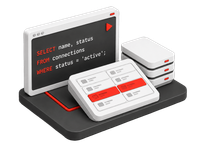
Query Parquet, CSV and JSON files in your data lake with SQL, in place. The lake engine embedded in Core Hub, built on DuckDB, makes the file agents you already run queryable from Query Studio and Query Forge.
 Query Studio
SELECT status, count(*) AS orders, sum(total) AS revenueFROM parquet('orders/2026/*.parquet')GROUP BY statusORDER BY revenue DESC;| status | orders | revenue |
|---|---|---|
DELIVERED | 48,215 | 6,914,480.55 |
SHIPPED | 3,902 | 571,206.10 |
OPEN | 1,147 | 160,935.40 |
CANCELLED | 618 | 74,511.85 |
Why Lake queries
01 / Copy first
Data lands in the lake, then gets loaded into a warehouse or a database just so someone can check a count, inspect a row or run a join. Every question waits for another load.
02 / Side engines
A separate query service or a notebook cluster needs its own setup and its own copy of storage credentials. It also sits outside the roles and masking that govern the rest of your data.
03 / The platform outcome
The lake engine embedded in Core Hub reads your files where they are, through the agents and permissions Gluesync already manages. Ask the lake a question right after the pipeline writes.
How it works
Point
Pick the S3, S3-compatible, WebDAV or NFS agent that already lands your data. It appears in the Query Studio connection picker with the credentials it already holds.
Query
Select a dataset like a table, or read any file with parquet(), csv() and json(), globs included. Use files() to see what a folder holds.
Join
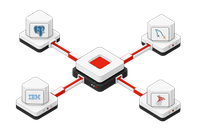
Through Query Forge, join lake datasets with live databases in one federated query from any JDBC client or BI tool.
Capabilities
Lake queries run on a read-only lake engine embedded in Core Hub, based on DuckDB. It is not a new agent and there is nothing to configure: the agent's file type decides how each file is read.
Query Studio
Pick a lake-enabled agent in the connection picker and the schema browser shows schema default, with one table per dataset and columns read from the files. JSON can be a single document, an array, or one document per line. CSV files Gluesync wrote keep the types from the entity definition, so leading zeros, NULLs and exact decimals survive.
Query Studio
SELECT status, count(*) AS orders, sum(total) AS revenueFROM parquet('orders/2026/*.parquet')GROUP BY statusORDER BY revenue DESC;| status | orders | revenue |
|---|---|---|
DELIVERED | 48,215 | 6,914,480.55 |
SHIPPED | 3,902 | 571,206.10 |
OPEN | 1,147 | 160,935.40 |
CANCELLED | 618 | 74,511.85 |
Parquet and CSV change files keep every version of a row, and deletes appear as rows with _operation = 'D'. Query the history of an order, not only its current state. Snapshot and change files are combined by column name, so one query reads both.
Query Forge
Query Forge exposes lake datasets on the same jdbc:gluesync:// connection as every other agent. BI tools address them by dataset name, like any table, and join them with live databases. For file-by-file exploration, open the same agent in Query Studio.
JDBC clientjdbc:gluesync://corehub:8765
SELECT a.name, SUM(o.total) AS revenue_2026FROM "orders_to_lake"."default"."orders" oJOIN "crm_replication"."public"."accounts" a ON a.account_id = o.customer_idGROUP BY a.name
"orders_to_lake"."default"."orders"
"crm_replication"."public"."accounts"Copying files into a warehouse just to join them with operational data adds a pipeline and a stale copy. Query Forge joins the lake and the live database when the query runs.
Governance
Lake queries follow the rules that govern every other query in Core Hub. Roles, data-access policies and token scopes decide who sees what, and a lake query never changes a file.
Settings · Query data access
Viewers can never unmask, even with a grant.
FAQ
Parquet, CSV and JSON files on AWS S3 and S3-compatible object storage such as MinIO and MinIO AIStor, and on WebDAV, WebDAVS and NFS. JSON can be a single document, an array, or one document per line. The agent's file type decides how each file is read.
Lake queries run on DuckDB, embedded in Core Hub. Each query gets its own isolated, read-only session, governed by Core Hub roles, data-access policies and PII masking.
No. Lake queries run on the lake engine embedded in Core Hub. The S3, WebDAV and NFS agents you already run become queryable with the credentials they already hold, so there is no new connection screen and no second copy of credentials.
Yes. Parquet and CSV change files keep every version of a row, and deletes appear as rows with _operation = 'D'. Snapshot and change files are combined by column name, so one query returns the full history of a row, deletes included.
Yes, through Query Forge. Lake datasets appear as "<catalog>"."default"."<dataset>" next to your live databases, so one federated query can join a lake dataset with PostgreSQL or any other agent, from any JDBC client or BI tool.
Full read-only SELECT and WITH: joins, CTEs, window functions, UNION and subqueries. In Query Studio you can also read files by path with parquet(), csv() and json(), list a folder with files(), and join your own CSV with a replicated dataset.
Lake queries follow Core Hub roles and table-level data-access policies, PII masking applies and cannot be lifted through a lake query, and Personal API Token scopes decide which agents a Query Forge caller sees. Every query is read-only and stays inside the agent's store root.
Explore the platform
Lake queries extend Query Studio and Query Forge to the files Gluesync lands. Explore how the data gets there and who can see it.
The SQL workbench where lake datasets and file functions sit next to your databases.
Explore Query Studio →Federated SQL that joins lake datasets with live databases from any JDBC client.
Explore Query Forge →Land snapshots and continuous changes in object storage as Parquet, CSV or JSON.
Explore Data lake ingestion →Classify columns and mask at read time, including in lake queries.
Explore PII discovery & masking →Resources
Technical guides, API reference, deployment tutorials.
Read documentation ↗What we're building next. Submit feature requests.
View roadmap ↗Access technical support and operational assistance.
Get support →Real-time platform availability and incident history.
Check status ↗Request a free trial or talk with the MOLO17 team about querying the files your pipelines land.