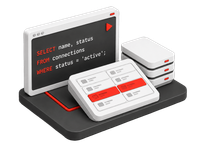
Reshape data while it moves. Pick a pre-built field function per column, write a Java UDF when a record needs real logic, publish reusable Custom Field Functions at pipeline level, keep only the rows that match your filters, and decide how documents and messages are keyed on NoSQL, event-streaming and object-store targets. Spark helps you write and review all of it.
03 Decide which rows, and which keys, reach the target
Why transform in transit
The target rarely wants the source as it is
01 / Shape mismatch
Different engines, different shapes
Oracle dates, SQL Server decimals and MySQL booleans do not land cleanly in Couchbase documents, Kafka messages or BigQuery columns. Fixing them after the fact means another job, another schedule and another copy.
02 / Compliance at the edge
Sensitive data should not travel
If a target team only needs the last four digits of a card, the full number should never reach them. Masking, filtering and anonymization belong in the pipeline, not in a downstream view somebody may forget to apply.
03 / The platform outcome
One pipeline, snapshot and CDC alike
Gluesync applies the same field functions, UDFs, filters and document keys to the initial snapshot and to every change captured afterwards, from the Control Plane, with no extra component to run.
How it works
From a mapped column to a shaped record
01
Map
Pick the column, pick the function
In the Fields Editor, map source to target columns and attach a pre-built field function where the shape has to change: casts, date patterns, trims, constants, technical fields and masking. Parameters come with ready-to-use defaults.
02
Extend
Write code only where it earns its keep
When a record needs business logic, add a Java UDF to the entity. When several pipelines need the same custom conversion, publish it once as a Custom Field Function and bind it to target columns like any catalog entry.
03
Scope
Filter rows and shape keys
Add inclusive filter clauses that decide which rows are copied on snapshot and kept in sync on CDC, and compose the document or message key your NoSQL, Kafka or object-store target expects.
Capabilities
What ships with Core Hub
Every capability on this page is configured in the Control Plane and stored with the pipeline, so Bootstrapper exports and REST calls carry the same configuration. The simulations below mirror the Core Hub screens where each one lives.
Field functions
A catalog of no-code transformations
Eight categories of pre-built functions, applied per column in the Fields Editor
Field functions are applied in transit to a mapped column. Regular transformations change business data on its way to the target; technical field functions populate target-only columns with timestamps or constants, or override the incoming value, which is how data masking and anonymization work without code.
Date and time to string, string to date and time, and advanced date and time operations such as zone-aware timestamp conversions
Numeric and decimal conversions, boolean conversions, and text and binary operations
Technical fields and constants for execution timestamps, record IDs built from the primary key, or fixed values
Data masking and anonymization: Mask Credit Card, Mask String, Mask Email, Mask Phone and Mask IBAN
Each function has a YAML expression type, so the same configuration can be exported and applied with Bootstrapper
Data pipelines / P-MSSQL-SNOW Customer 360 / dbo.orders / Fields
Fieldsdbo.orders → ORDERS
Target
Field function
ORDER_TSorder_ts · DATETIME2(6) → VARCHAR(32)
Convert Date and Time to String
IBANiban · NVARCHAR(34) → VARCHAR(34)
Direct mapping
IS_ACTIVEis_active · BIT → CHAR(1)
Direct mapping
SYNCED_ATTarget only → TIMESTAMP_TZ
—
Select Expression73 functions · 8 categories
Search functions…
Masking pre-built, not hand-rolled
Pick the mask function, keep the defaults or set the mask character, and the target only ever receives the redacted value. Discovery of which columns need it is covered on the PII discovery and masking page.
User Defined Functions
Java logic on every change event
An onChange handler per entity, with new and old values, the operation and a logger
A UDF receives each insert, update and delete after it is read from the source and before it is written to the target. It returns the record to write, or null to skip it, and can raise an error that goes through the pipeline's error handling. Code is checked and compiled in Core Hub before it can run.
Signature onChange(newValues, oldValues, operation, logger): mutate, enrich, route or drop a record
Old values are available for updates and deletes on sources that capture before images
Java today; Kotlin, JavaScript and Python are listed as available soon in the docs
Checked and compiled before execution, run sandboxed with execution timeouts, with a logger that writes to Core Hub logs
Spark helper in the editor: ask it to explain or improve the UDF, insert the result and compile
Java methods exported with @GsFunction, published, versioned and bound to columns
When the catalog does not have the conversion you need, or a target column has to be built from several source columns at once, write it once as a Custom Field Function. It belongs to the pipeline, shows up in the Fields Editor next to the pre-built catalog, and can be bound to as many target columns and entities as you like.
Exported methods are public static and annotated with @GsFunction, with typed parameters mapped from source columns
Compile and publish checks the code, recompiles every UDF in the pipeline and re-checks every bound column before storing a version
Install is a separate step: entities are stopped, the executable replaced and restarted, and Gluesync reports which ones
Versions can be restored; Try a function runs the installed version on sample values before you bind it
Repeatedly failing functions are suspended instead of failing on every record
Ask Spark to explain or improve these custom functions… · grounded on this pipeline's sources, columns and compiled signatures
Filters
Inclusive filters on snapshots and on CDC
Per-entity clauses evaluated in Core Hub, on the initial copy and on every change
Filters decide which rows belong on the target. A row is replicated only if it matches all clauses. During the snapshot only matching rows are copied; during CDC a row that stops matching is converted into a DELETE on the target, so the target always reflects the filter. Filters are evaluated in Core Hub after the read, so they add no load on the source.
Operators: =, !=, >, <, >=, <=, In, Not in, Is null, Not null and Regex
Combine clauses on several columns; all of them must match for the row to be kept
Enabled per entity from Filter out incoming data in the entity settings dialog
Selective deletion ahead of snapshot reuses the same operators to prune target rows right before a snapshot task runs
Data pipelines / P-MSSQL-SNOW Customer 360 / dbo.orders / Settings
Filter out incoming data
2 clauses
Applied to CDC changes and to the initial snapshot. Clauses behave like a SQL WHERE and a row is kept only when all of them match.
Selective deletion ahead of snapshot
Right before a snapshot, Gluesync runs DELETE FROM ORDERS WHERE REGION != 'EU' on the target. Snapshot only; CDC is untouched.
EU
Clean the target before the snapshot
Selective deletion ahead of snapshot removes rows from the target table immediately before a snapshot starts, with the same filter controls. It is a destructive operation on the target and is documented as such.
Custom document keys
Keys shaped for NoSQL, event streaming and data lakes
Compose the document or message key from source fields, separators, prefix and suffix
Document stores, Kafka topics and object-store targets do not have a primary key the way a table does. Gluesync lets you build the key each record is written with: choose the source fields, order them, pick a separator, add a prefix or a suffix, and preview the result before saving. The same key is used for inserts, updates and deletes, so a change on the source always finds its document or message.
Default key combines schema, table and primary key; customize it to match the lookups your application performs
Order fields, choose the separator, and add a prefix or suffix such as order_ or _gluesync
Shown for NoSQL, event-streaming and object-store targets; on Kafka it becomes the message key, and deletes are sent as tombstone records that keep that key
Document Key Preview renders the key from a sample row as you edit
Changing the format for existing data may require a full resync, and the key must fit the target's length limits
Spark helpers in the editors and the pipeline helper in AI Studio, over the same configuration
Spark reads the pipeline the same way the Control Plane does. In the UDF and Custom Field Functions editors it explains or improves the code in front of you. In AI Studio it can read an entity's mapping, filters and keys, propose a change such as a Mask Email field function on a target column, and apply it only after you approve the plan.
Grounded on your pipeline through Core Hub MCP tools: get_pipeline, list_field_functions, compile_mapping_function and upsert_entities
Every proposal lists the tool calls it will make; nothing is written without approval
Runs with the permissions of the signed-in user; PII-tagged columns are referenced by label, never by value
Requires a bring-your-own LLM endpoint configured in AI Studio
AI Studio · SparkPipeline helper · tools run with your permissions
Add a field function that masks the email column on the target of Customer 360.
EMAIL maps dbo.customers.email to CUSTOMERS.EMAIL with a direct mapping and carries a PII:email tag. I propose Mask Email with *: john.doe@example.com → j*******@example.com. This changes the entity, so it needs your approval.
upsert_entities · dbo.customersEMAIL: Direct mapping → Mask Email (char *)
Explore the platform
Continue exploring Gluesync
Transformation is one part of the pipeline. The pages below cover what it connects to: PII discovery so you know what to mask, Spark and the MCP server that drive the helpers, and Query Studio to check the result.