01 / Context switching
External clients everywhere
Engineers jump between the Control Plane and separate database tools to inspect schemas, run SQL, and troubleshoot sync issues — slowing every validation loop.

Gluesync Module · SQL workbench
An embedded SQL workbench inside the Control Plane. Inspect schemas, run queries, and validate live datasets without leaving Gluesync.
Why Query Studio
01 / Context switching
Engineers jump between the Control Plane and separate database tools to inspect schemas, run SQL, and troubleshoot sync issues — slowing every validation loop.
02 / Credential sprawl
Each external client means another credential, another VPN hop, and another place where production access is hard to govern.
03 / The platform outcome
Query Studio uses existing Gluesync connections so pipeline monitoring and data exploration share a single, governed environment.
Capabilities
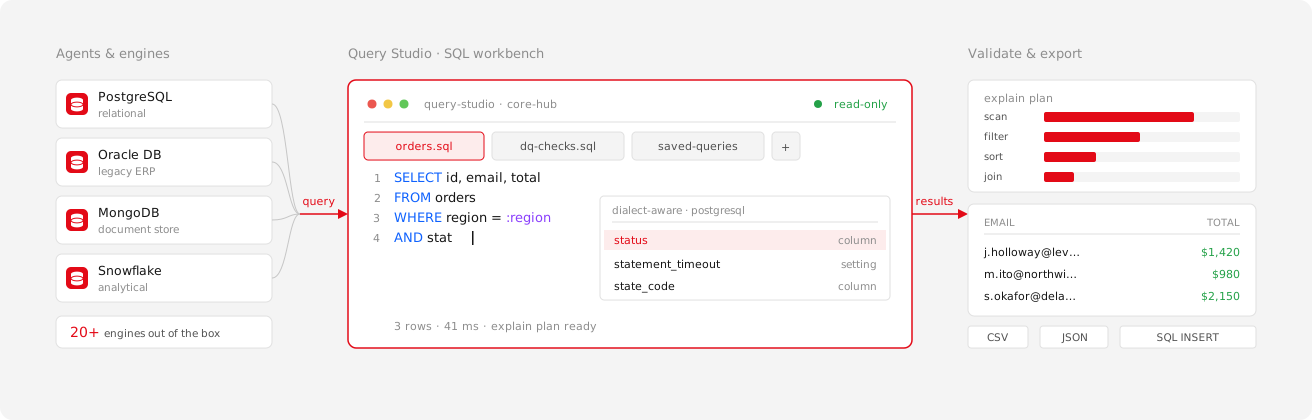
Query Studio turns Gluesync from a replication monitor into an interactive workspace for inspecting and validating synchronized data.
Embedded workbench
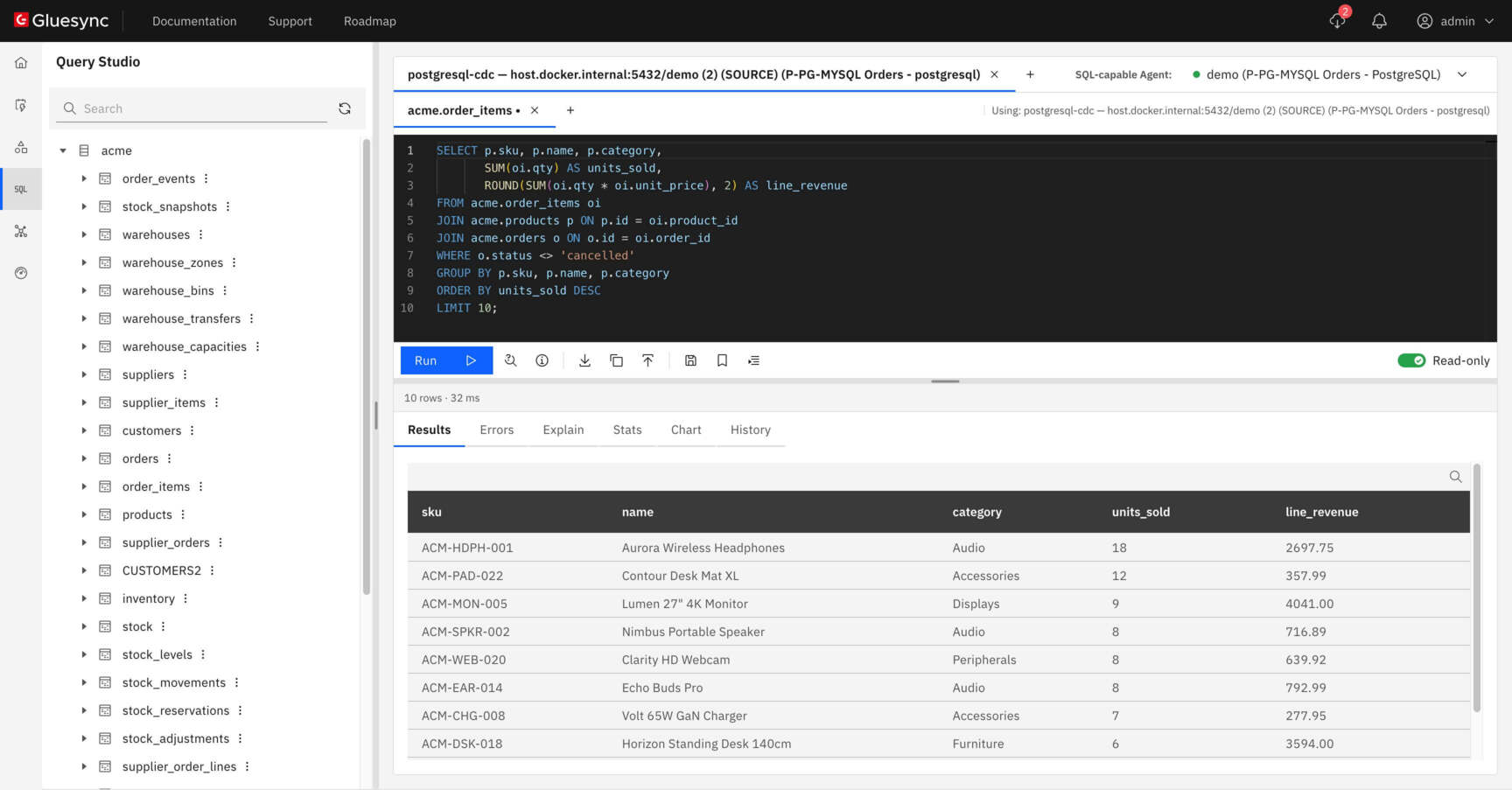
Fully embedded in the Gluesync Control Plane and powered by Core Hub. Work against configured agents without managing a separate database client.
Developer productivity
Productivity features help teams move from one-off troubleshooting to reusable validation workflows across heterogeneous engines.
Interact with relational, analytical and data-lake sources through a consistent interface inside Gluesync — then extend to federated JOINs with Query Forge.
Enterprise governance
Query Studio is designed for production environments where data access must stay carefully managed.
 Settings · Query data access
Viewers can never unmask, even with a grant.
Query Studio AI · Available in Gluesync 2.3
Ask for the data you need in plain language or press Tab while you write. Query Studio AI uses the schema context already visible in your workspace to propose the next query.
list_sql_capable_agents()execute_sql(…) get_pipeline_status(…)get_agent_metrics(…) list_connections()get_connection_usages(…) Explore the platform
Query Studio is part of Gluesync Knowledge. Pair it with Query Forge for federated SQL, or return to the full platform.
Query Parquet, CSV and JSON files in your data lake from this workbench, in place.
Explore Lake queries →Compare a replicated entity with its target and optionally reconcile the differences.
Explore Validator →Expose Query Studio database tools and Core Hub operations to MCP clients under Control Plane RBAC.
Explore Core Hub MCP server →Federated SQL across isolated agents — JOINs without ETL or raw data movement.
Explore Query Forge →Publish REST endpoints over your tables, served through the Query Studio execution path.
Explore Courier →Chronos schedules, chained workflows, webhooks, and Core Hub event triggers.
Explore Schedules and events →Resources
Technical guides, API reference, deployment tutorials.
Read documentation ↗What we're building next. Submit feature requests.
View roadmap ↗Access technical support and operational assistance.
Get support →Real-time platform availability and incident history.
Check status ↗Start a free trial or talk with the MOLO17 team about embedding Query Studio in your data operations workflow.