

Article
Gluesync 2.3.2: point-in-time restart, disaster recovery, lake file queries and Podman
Gluesync 2.3.2: replay CDC from any moment, run a standby Core Hub site, query lake files in Query Studio, deploy on Podman and let a speed test tune your snapshots.
Gluesync 2.3.2 was released on 10 November 2026. A stopped entity can now restart CDC from a past date and time, on the sources that support it, with no snapshot. A second Core Hub site can stand by, about one second behind, ready to take over. Query Studio and Query Forge read the Parquet, CSV and JSON files your pipelines land in the lake. Gluesync runs on Podman, and a speed test picks your snapshot settings by measuring.
Last time we completed the Databricks target with more ways to sign in. This release goes after the question every on-call engineer has asked: "can we replay everything since Tuesday at 14:00?" Every point below is checked against the official release notes.
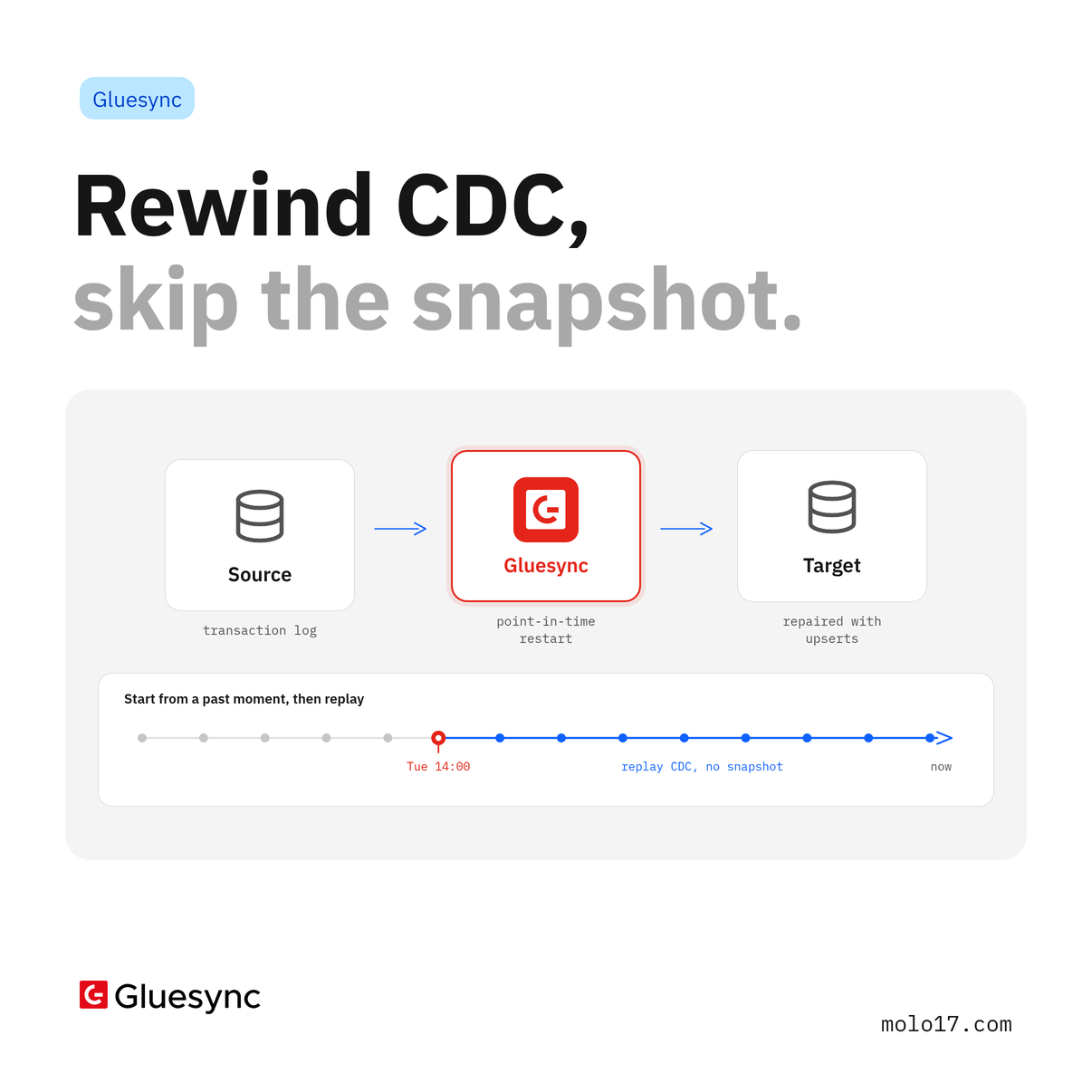
Point-in-time restart: rewind CDC, skip the snapshot
A bad deploy, a truncated target table, a downstream job that consumed an afternoon of rows: choose a moment and Gluesync replays everything since. A stopped entity restarts CDC from a past date and time, or from a native position of its source, instead of from its last checkpoint. The changes made after that point are read from the source again and written to the targets.
- In the Start dialog, choose Point in time: Gluesync shows where each entity will restart before anything changes
- Native positions cover SQL Server CDC LSN and Change Tracking version, IBM i journal receiver and sequence, MySQL and MariaDB binlog file and position, Oracle LogMiner and XStream SCN, Informix LSN, MongoDB resume token, DynamoDB stream position, ScyllaDB
cdc$time, Couchbase Eventing event counter and more. Couchbase DCP and Cosmos DB restart from a date and time - The changes between the restart point and where each target had got are written as upserts of every column, whatever the insert conflict and changed columns settings, so a restart repairs the target
- A point older than the oldest change the source still keeps is refused. Oracle XStream gains a restart horizon (hours, 0 by default) that keeps that much history reachable
- Automate it: REST
POST /pipelines/{id}/restart-positions/resolvepreviews the positions andPOST /pipelines/{id}/commands/sync/start-fromrestarts the entities. The MCP tools areresolve_restart_positionsandstart_sync_from_point - Availability follows the source: Oracle Triggers, the Sybase log reader, PostgreSQL and YugabyteDB (a replication slot cannot go back), the legacy IBM i
DSPJRNreader, and Couchbase Eventing with Delete Events On Sync Confirmed on are listed as unavailable. The Point-in-time restart column of Supported integrations has the full picture
It is the same CDC, and it now goes back in time.
Disaster recovery: a second site that is ready before you need it
Two complete Gluesync sites form a pair. The active site runs your pipelines and schedules, and the standby keeps a copy of everything the active site stores, about one second behind, ready to take over.
- Guided setup from the Control Plane on sites that Gluesync Control installed: start the first site, copy the pairing code, join the second, and the keys are exchanged for you. On Kubernetes, Docker Swarm or a compose file you manage, set the
GS_DR_*variables - One connection: Core Hub replicates its six databases (pipelines and configuration, notifications, metrics, AI brain, data comparison results and the Chronos scheduler) over ports 1718 and 1719, with no object storage and no shared disk
- Failover on your terms: manual by default, with a planned switchover when both sites are healthy and a forced promotion when the active site is down. Automatic failover with a witness is opt-in
- One active site at a time: a site that was active rejoins as the standby of the site that took over, so two sites never run the same pipelines
- After a takeover, a setting decides what happens to entities whose undelivered changes were lost with the old site: Manual (the default) holds them until you decide, Resync resyncs them automatically, and Resume accepting the gap resumes them from their checkpoint
For step-by-step walkthroughs, follow Set up a disaster-recovery pair, Run a disaster-recovery pair end to end and Upgrade a disaster-recovery pair.
It is still Gluesync, and now there are two of them agreeing on who is in charge.
Query your lake files: Parquet, CSV and JSON
Query Studio and Query Forge read the files the Gluesync file agents write, with an embedded DuckDB engine inside Core Hub and the connection the agent already has.
- AWS S3 (S3-compatible endpoints included) and the Universal File Store agent over WebDAV, WebDAVS or NFS
- Each entity reads as a table of the
defaultschema.parquet('path'),csv('path')andjson('path')read a file directly, andfiles('folder')lists a folder - Queries are read only: one
SELECTorWITHper query, up to 10,000 rows or 8 MiB of results - Tune it with
GLUESYNC_LAKE_MEMORY_LIMIT(512MB),GLUESYNC_LAKE_THREADS(2),GLUESYNC_LAKE_MAX_TEMP_DIRECTORY_SIZE(4GB),GLUESYNC_LAKE_MAX_CONCURRENT_QUERIES(2) andGLUESYNC_LAKE_SCRATCH_DIR
Azure Data Lake, Google Cloud Storage, FTP, FTPS, SFTP, SMB and CIFS are not read yet.
To set up the pipelines that write those files, follow Replicate to a data lake.
Podman, rootful and rootless
Gluesync runs on Podman on Linux, installed and operated by Gluesync Control as on Docker. Run gluesync install --runtime podman with --rootless or --rootful. Core Hub 2.3.2.0 runs as a non-root user (uid 1017) in its container, so rootless Podman, keep-id and runAsUser deployments start it without a data folder owned by root. Chronos does the same from 0.3.3, and Conductor recognises Podman from 0.14.1. Same Gluesync, fewer root privileges.
For the install steps, follow Gluesync on Podman.
Snapshot autotuning: let the speed test pick the threads
From the Start dialog, Open the speed test copies an entity into a temporary test table on the target, with the same columns and secondary indexes, and tries reader and writer counts, bulk sizes and page sizes within 2, 5 (default) or 10 minutes. It ends with the snapshot settings it proposes and an estimated copy time, and Faster starts the entity with them.
- One entity at a time, from a single-table SQL source to a SQL target: SQL Server, PostgreSQL, Greenplum, YugabyteDB, CockroachDB, Oracle, MySQL, MariaDB, SingleStore, Db2 LUW, SAP HANA, ClickHouse and IBM i
- Automation through REST
/pipelines/{id}/autotuning, the MCP toolscheck_snapshot_autotuningandstart_snapshot_autotuning, and anENTITY_AUTOTUNING_FINISHEDnotification
Import entities from a YAML or ZIP file
The New Entity page reads an Automator export itself. Import entities takes a .yaml, .yml or .zip file of up to 100 MB and turns it into entities of the pipeline you have open.
- Every table is validated before anything is written, and each row shows a status from Ready to Unsupported. Fix a row in the dialog, from the source table to the full field mapping through Customize
- On relational targets, Create missing target tables is on by default
- A ZIP brings its UDFs, compiled when you save, and its Custom Field Functions
- Nothing is saved until you press Confirm and continue, and the entities are created stopped, ready for you to start. The import is open to Super Admin and Manager
Also in 2.3.2
- Core Hub alerts: a low disk space alert (warning under 20 GB or 10 percent free, critical under 5 GB) reaches notifications, email, webhooks and Gluesync Connect
- Security: baseline security headers, HSTS over TLS, tighter CORS, session tokens that expire after 72 hours by default, and mapping functions edited and compiled only by Super Admin and Manager (GSSD-1185)
- Support: Upload Logs to Support accepts a support voucher and uploads the archive straight into the ticket, also through the
upload_support_logsMCP tool - Validator: the settings of the last run started from the web UI carry over to the next run
- Chain order: Core Hub suggests an order that respects foreign keys, parents first, through the web UI, REST and the
suggest_chain_orderMCP tool - Spark: one
sync_commandMCP tool starts and stops entities with about half the input tokens - Query Forge: every cross-agent join strategy is on by default
- Agents: fixes and improvements across AWS S3, Couchbase, Databricks, MariaDB, MySQL, MongoDB, Oracle, PostgreSQL, SQL Server, Vertica, YugabyteDB and more
Every change, agent by agent, is in the Gluesync 2.3.2.0 release notes. Ready to upgrade? Get the latest version and replay your first point in time.